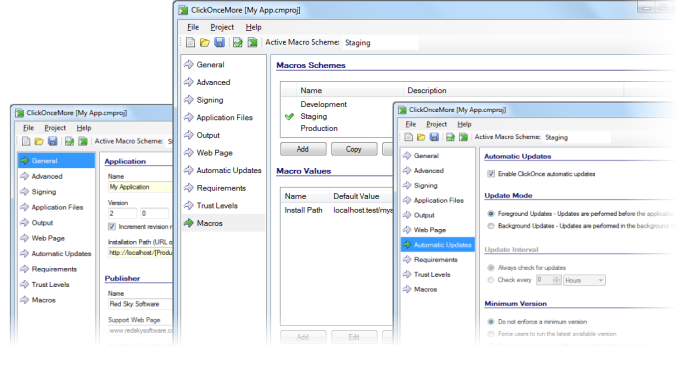
Multiple target environments are supported through fully configurable macros. Read more.
Easy integration into your build process using the command line tool. Read more.
Use the powerful file and folder inclusion rules to determine which files get deployed. Read more.
Control the exact directory structure on the target machine, including the data directory. Read more.
Supports obfuscated assemblies, so you can combine obfuscation and ClickOnce in your build process. Read more.
Thank you for all of your help. This amount of support for the price is an unexpected and very welcome surprise.
ClickOnce is a Microsoft technology that enables the installation and running of a Windows application simply by clicking on a website link. ClickOnce is designed to simplify the deployment of web applications for Microsoft Windows users.
A ClickOnce deployment is managed using two ClickOnce manifest files. The first is a ClickOnce deployment manifest detailing the deployment model, the current version, update behaviour, publisher identity, and digital signature. The second is the ClickOnce application manifest which details the application assemblies, dependent libraries, and permissions.
ClickOnce deployment technology is included within the Visual Studio IDE, and can also be supported by Mage and MageUI, but these tools can be complicated to use and only cater for basic requirements, providing little support for automating the build process.
ClickOnceMore simplifies the process of generating ClickOnce manifests, and is designed with automated build integration in mind.
